
Skip to content

Screening

Boost your AML risk management

You want to save time and effort by having your client files automatically screened. RegLab helps you with this challenging task. Choose a fully AML-compliant screening process by using the RegLab application.
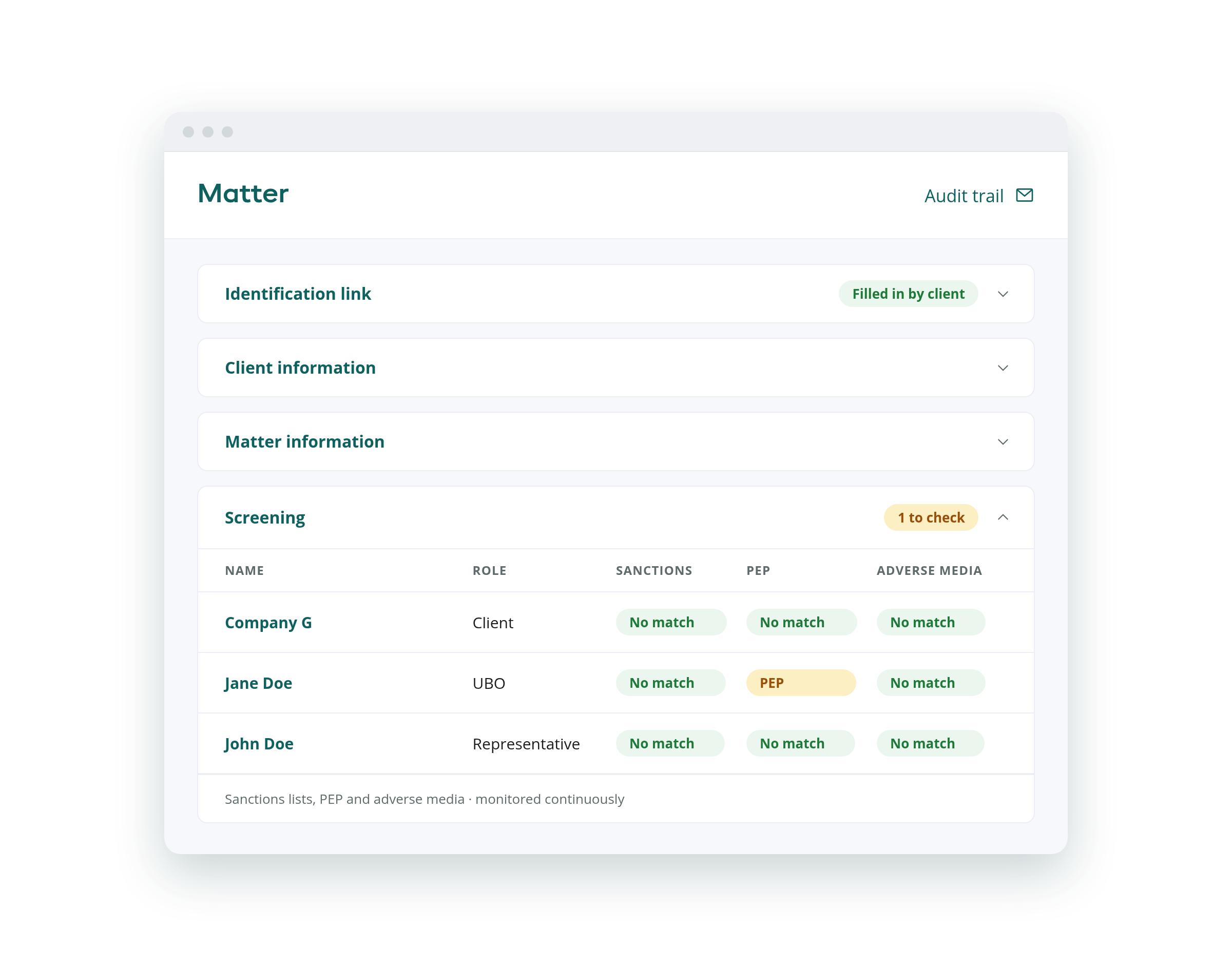
Screening overview in RegLab

An effective screening process

This useful feature is available thanks to our integration with ComplyAdvantage. They continuously gather and update data from a multitude of sources on high-risk individuals, entities, and activities. This ensures that our application remains up to date!

RegLab gives you the ability to manage and streamline the entire AML process from a single platform, eliminating the need for separate subscriptions to external parties. This not only simplifies the onboarding process but also enhances clarity and efficiency.

Check for adverse media

When you add a person (such as a representative, contact, UBO or PEP) to a matter, a thorough check is initiated immediately to identify any adverse media coverage. You will see an overview of relevant articles about the added person, including their sources, publication dates, and opening lines.

Would you like to read the relevant article in full? Simply, click the link within the application to view it in its entirety. If an article is a “false positive” and does not contain relevant or negative mentions, you can flag it as such. This helps you maintain a clear overview of adverse media.
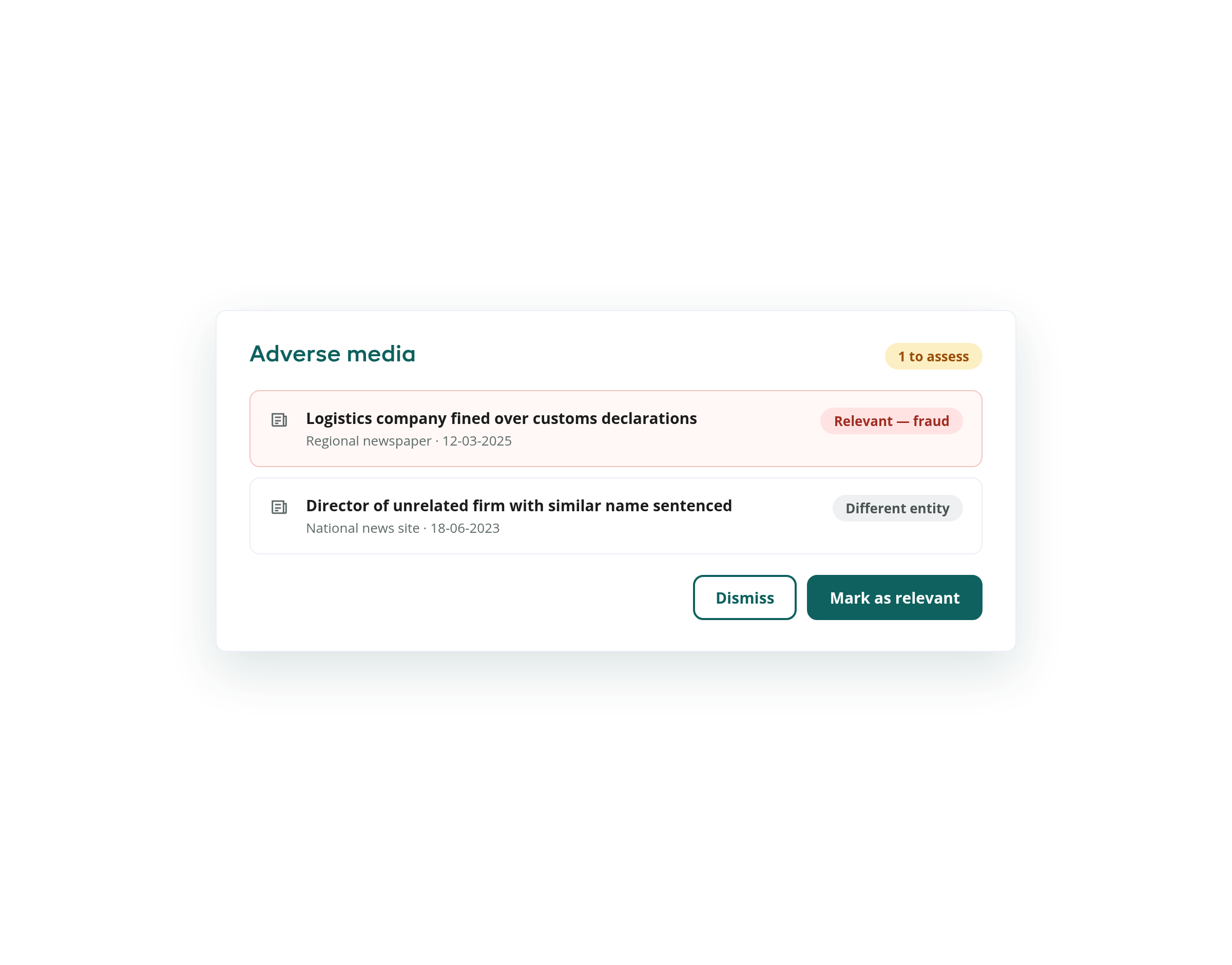
Adverse media screening in RegLab

Screen watchlists

An automatic check takes place to verify whether the client appears on any of the various sanction- or watchlists. Global lists as well as lists from different government agencies are checked. Individuals and entities on these lists are typically viewed as high-risk due to their involvement in criminal activities, links with terrorist organisations, money laundering or other prohibited practices. Therefore, it is crucial to review these lists! If the client is found on a list, you will be notified promptly, enabling you to take the necessary action.
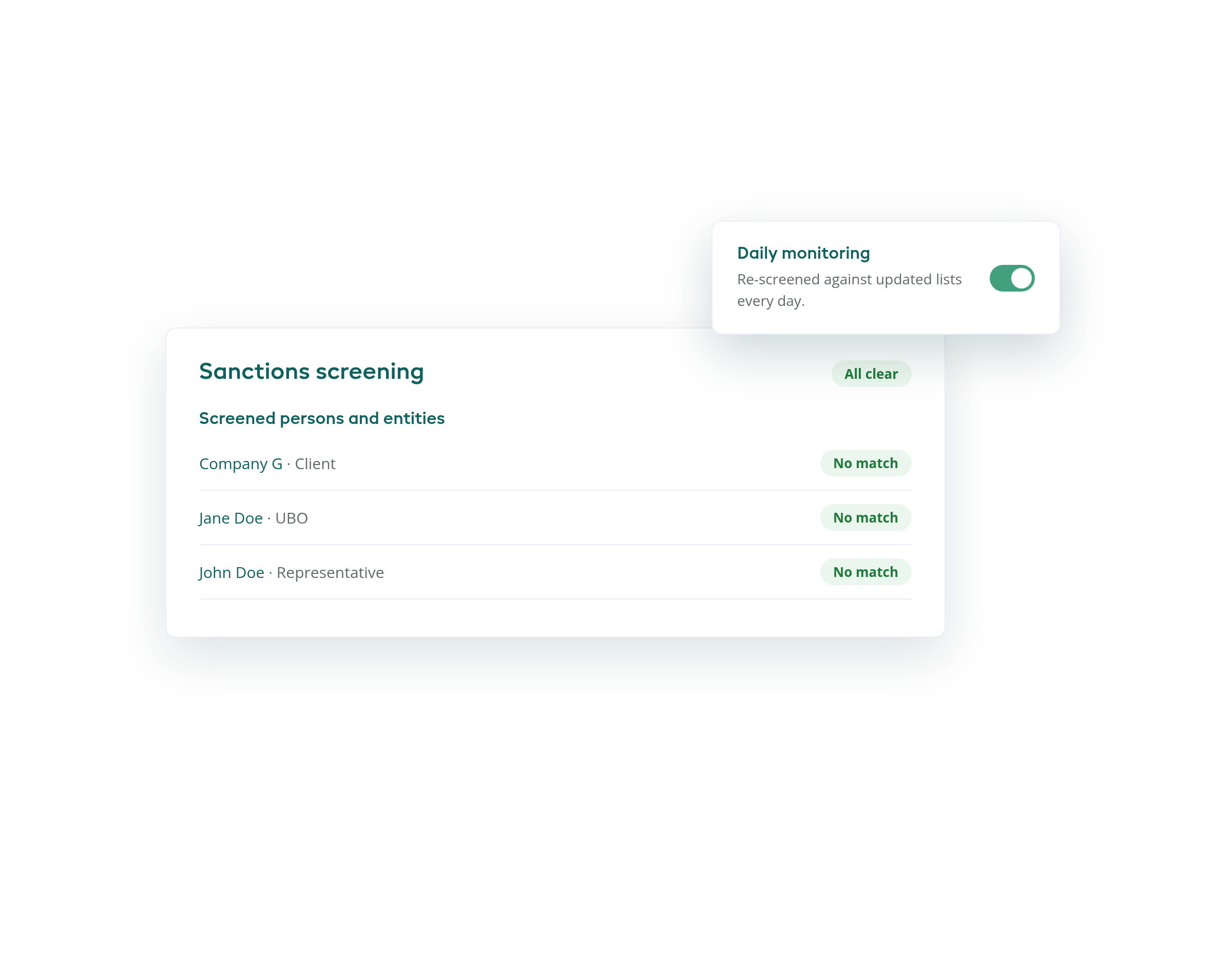
Watchlist screening in RegLab

Conduct a PEP-check

PEP stands for “Politically Exposed Person”. Due to their influential position, they tend to present a higher danger of engaging in illicit activities like money laundering. Knowing whether you are working with a PEP is crucial for this reason. Thanks to our automated PEP check, be the first to know about significant changes in the client’s risk status.

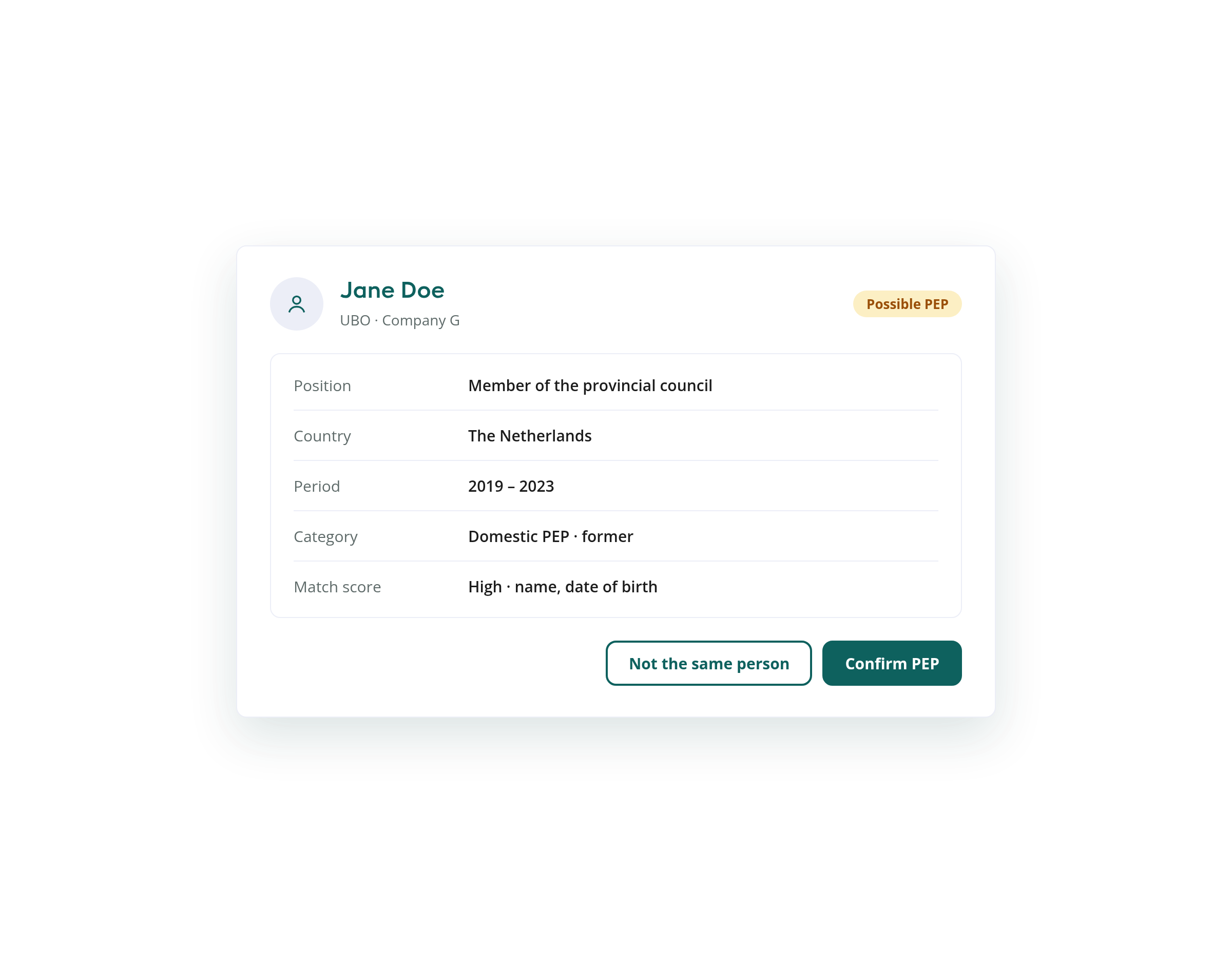
This check is performed automatically when someone is added to the matter. Does the individual emerge as a PEP? You will receive an overview of his or her various job functions. Again, you have the option of indicating whether a result is a ‘false positive’.
More about screening and monitoring
PEP screening in RegLab

Frequently asked questions about screening

Is your question not listed? Feel free to ask it during a discovery call.

What does RegLab screen?

Sanctions lists and watchlists, PEPs and adverse media. The check is initiated as soon as you add a person, such as a representative, contact, UBO or PEP, to a matter.

Where does the screening data come from?

Thanks to our integration with ComplyAdvantage, data on high-risk individuals, entities and activities is continuously gathered and updated from a multitude of sources.

What if a result is a false positive?

You can flag an article or a PEP result as a ‘false positive’. This helps you maintain a clear overview.

Do I need separate subscriptions to external parties?

No. RegLab lets you manage and streamline the entire AML process from a single platform, eliminating the need for separate subscriptions to external parties.

These firms rely on RegLab

AMLR: one step ahead

10 July 2027

The AMLR raises the bar

Let's look together at what this means for your firm.

Sparked your interest?

Want to take your compliance process to the next level while increasing efficiency? Get in touch for options and costs. See for yourself how the RegLab application will help you be 100% AML compliant.

How it works

  • Schedule an appointment at the date and time that suits you most
  • Our specialist shows you the application step by step via Microsoft Teams
  • Easily comply with AML without disrupting your client relationship

No obligation · 30 minutes · via Microsoft Teams

Loading calendar…